
Aw snap error in Chrome does not allow you to do any kind of work in Chrome. You might think there might be an internet error, but it’s not the error that frustrates you a lot. There are a few ways to solve it, but we will guide you one way by which you will solve the error most of the time.
Table of Contents
Update chrome
Go to help – about Chrome- check whether Chrome is up to date.
Clear cache and Restart extensions
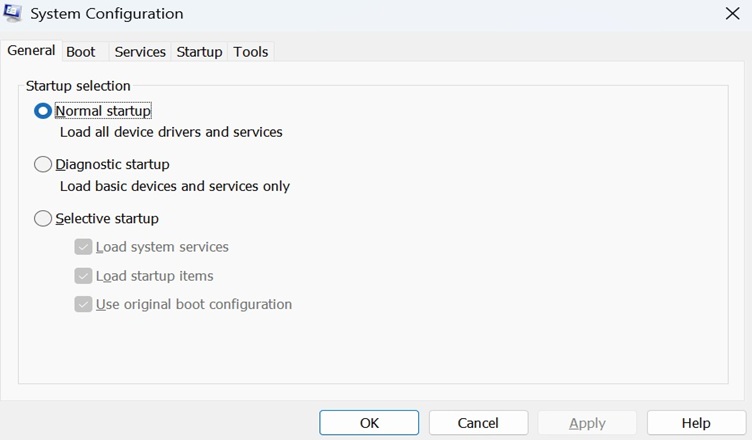
Using Run Sytem and Msconfig
- Go to Run sytem in the start menu, type msconfig and click ok OR
- press windows R and type msconfig, click ok
- You will see sytem config and click on the services.

- Check the box of hide all microsoft services and disable all.

- There will be popup of restart or without restart pc. You must select the restart the pc.
- Once the pc is restarted, do the same procedure from msconfiq to services
- Check the box of hide all microsoft services and Enable all
- There will be popup of restart or Exit without restart. You can select exit without restart.
Most of the time Aw Snap Error will be solved. If it not solve you must visit a computer repair shop for expert service.

Hemant is Digital Marketer and he has 6 + years of experience in SEO, Content marketing, Infographic etc.