
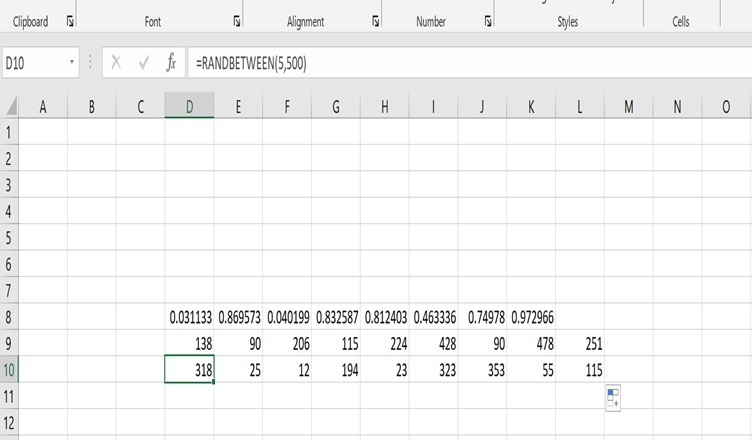
Random numbers help when you are practicing for any kind of work in Excel where you want to use numbers
Whenever you are trying to apply or practice conditional formatting in Excel, you can easily make use of random in different forms. Let’s do it step by step..
- Suppose you want to add sales data and practice with different formula.
- For adding numbers, you can simply add the formula =randbetween(5,500).
- Drag the formula down to sideways wherever you want it.
- It will add numbers between 5 and 500. You can add any range.
- For adding numbers in percentage or between 0 and 1, you can simply use the formula=rand()
- It will add a number in decimal format. eg. 0.245. You can select the percentage as well from the excel bar
Important points to remember
Whenever you add a new number previous number will be changed randomly. So to keep it safe, you can simply copy the number and select Paste Special as value.
Read more about excel at Techssocial

Hemant is Digital Marketer and he has 6 + years of experience in SEO, Content marketing, Infographic etc.