
Today in the world of calculators, why should you do the total manually? Let’s Excel do it for you.
You must be thinking, how can Excel do it, Yes, Its easy, just follow the simple steps below.
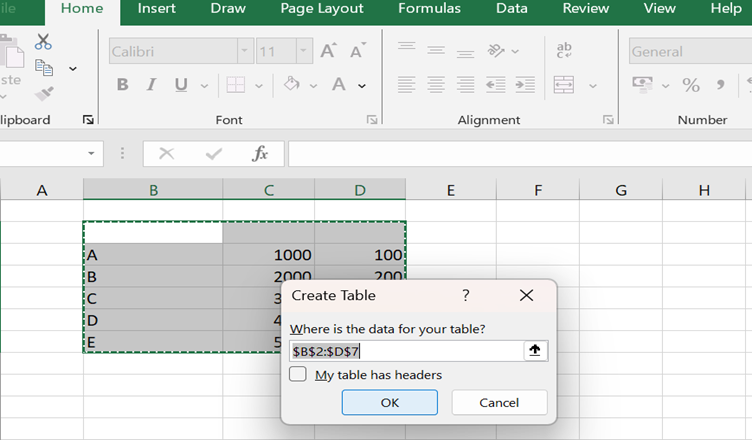
- Select the data in Excel and just press Ctrl+t
- Click ok
- Once its done you can check the box total row from the table design as in the image below

- Once its you can use the functions of Excel like average, maximum, Total number of count etc.

- You can make changes in any row it will calculate automatically and instantly.
All these are just simple, so why not use them for reporting.

Hemant is Digital Marketer and he has 6 + years of experience in SEO, Content marketing, Infographic etc.